Your home, right in ChatGPT
Add the HomeTendr app in ChatGPT and ask about your actual home. ChatGPT sees your tasks, items and history, shows them in cards you can tick off, and only does what the people who run the home allow.

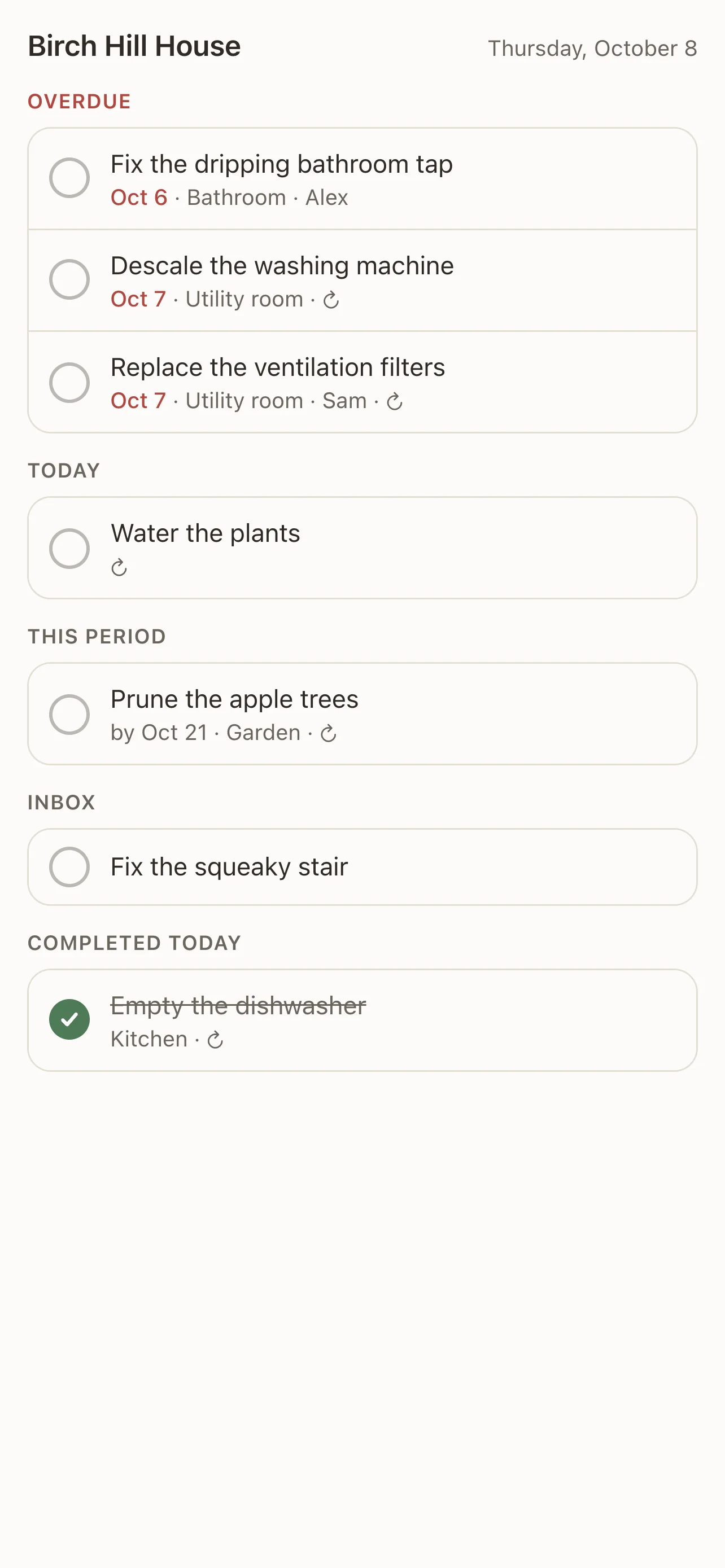
Cards you can act on
Ask what needs doing today and get the same list as in the app, with a check button on every task — and Undo if you tick the wrong one.
Ask about anything in your home
When the dishwasher's warranty runs out, what you did to the bathroom, which filter the ventilation needs — answered from your own items, renovations and notes.
Plans that fit your home
Get an autumn or spring maintenance plan from HomeTendr's checklists, a weekly plan for the household, or a handover for the day you sell — and add the tasks you choose.
You decide what ChatGPT can do
You choose which homes to share. Owners and admins decide in the app whether ChatGPT may change things, complete tasks or delete — and you can disconnect any time.
How it works
-
1
In ChatGPT, add the HomeTendr app and sign in with your HomeTendr account.
-
2
Choose which of your homes ChatGPT may see.
-
3
Ask in your own words — "What needs doing today?", "How is the house doing?", or attach a receipt to add an item.
-
4
Change what ChatGPT is allowed to do, or disconnect it, in the app under Settings → AI → ChatGPT.
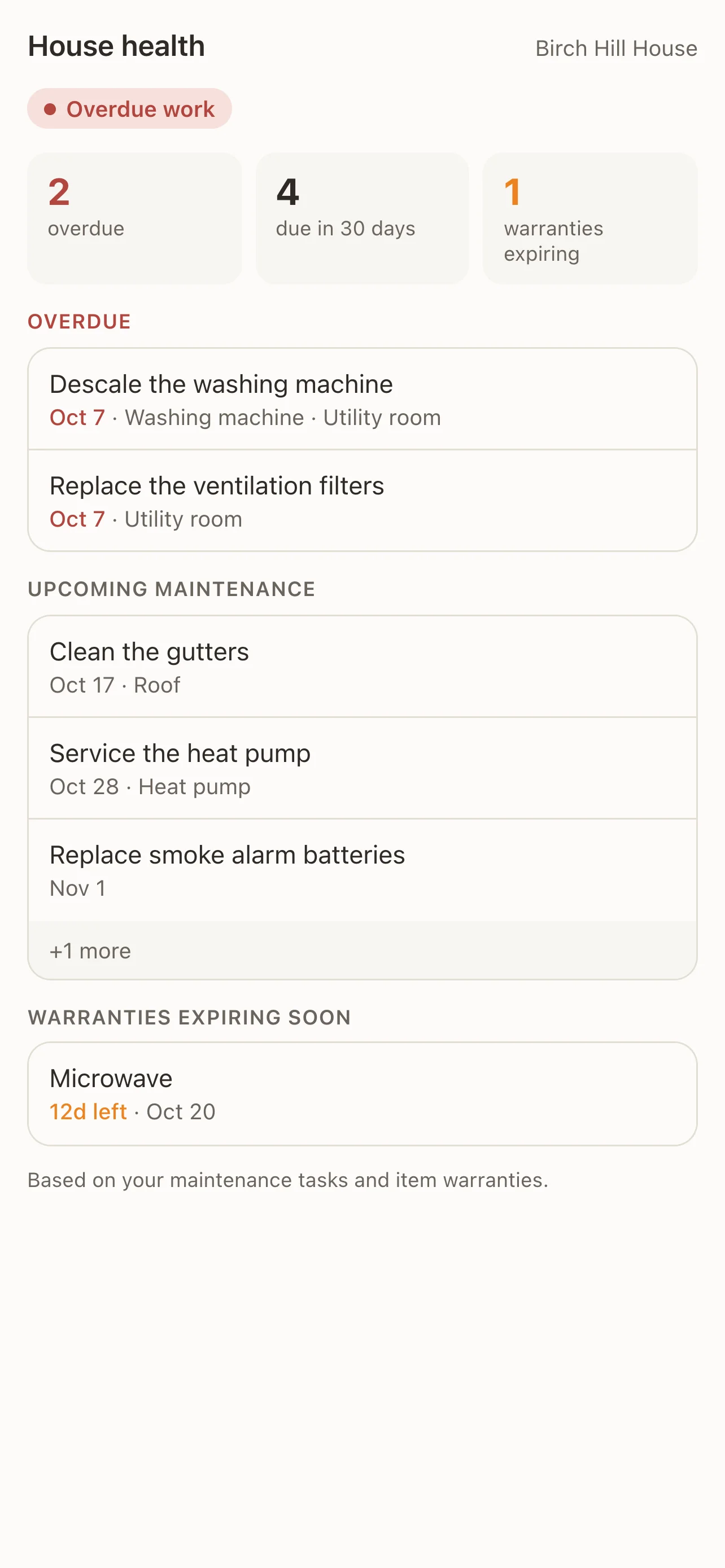
Frequently asked questions
Which plan do I need?
Asking about your home works on every plan. Letting ChatGPT add, change or complete things needs Pro or Max for that home. See pricing.
Can ChatGPT change things without asking?
It carries out clear requests, like "move the gutter cleaning to Saturday", and asks first when it had to guess or when it suggests something itself. Deleting is off unless an owner or admin turns it on, and every change shows up in the activity log in the app.
What does ChatGPT see?
Only the homes you choose when you connect, and only what the tools read: tasks, items, areas, renovations, members' names and recent activity. It doesn't see your password or other homes. Read more in our privacy policy.
How do I disconnect?
In the app under Settings → AI → ChatGPT, tap Disconnect. ChatGPT loses access to your homes right away. You can also disconnect from ChatGPT's own settings.
More features
Recurring home maintenance tasks with reminders
Set up home maintenance once as recurring tasks. HomeTendr reminds you when filters, gutters and smoke detectors are due — and keeps the schedule going.
Warranties, manuals and receipts — per item
Register appliances and other things in your home with brand, model, serial number and warranty date, and keep receipts and manuals attached to each one.
The history of everything you've done to your home
Log renovations and bigger home projects with date, cost, rooms, notes and photos, and see them on a timeline — perfect when you sell your home.