 Home maintenance app for iPhone
Your home, always tended.
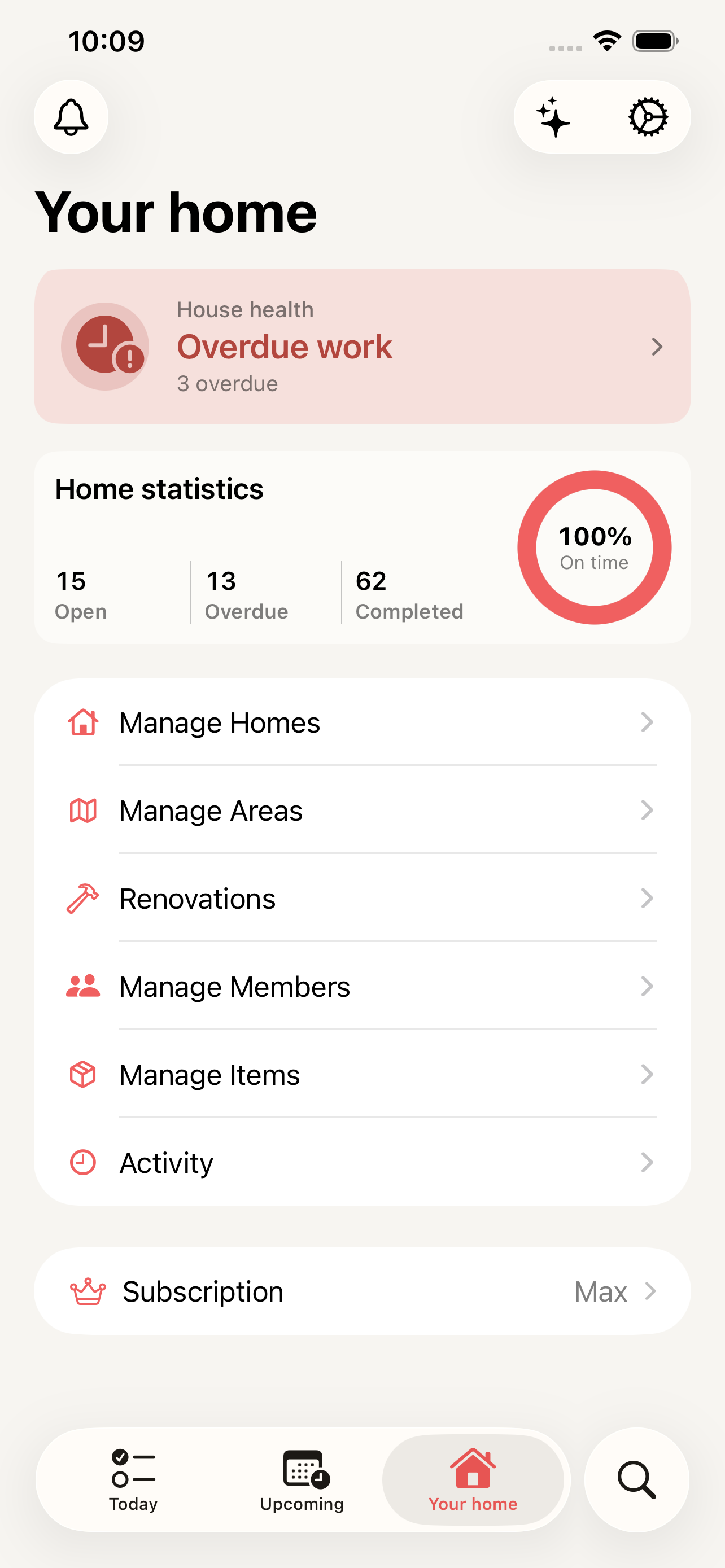
HomeTendr is an iPhone app for looking after your home: recurring maintenance tasks, items with their warranties and manuals, renovation history — and an AI assistant that actually knows your home.

Free to start. 14-day trial on paid plans.
-
Never miss maintenance
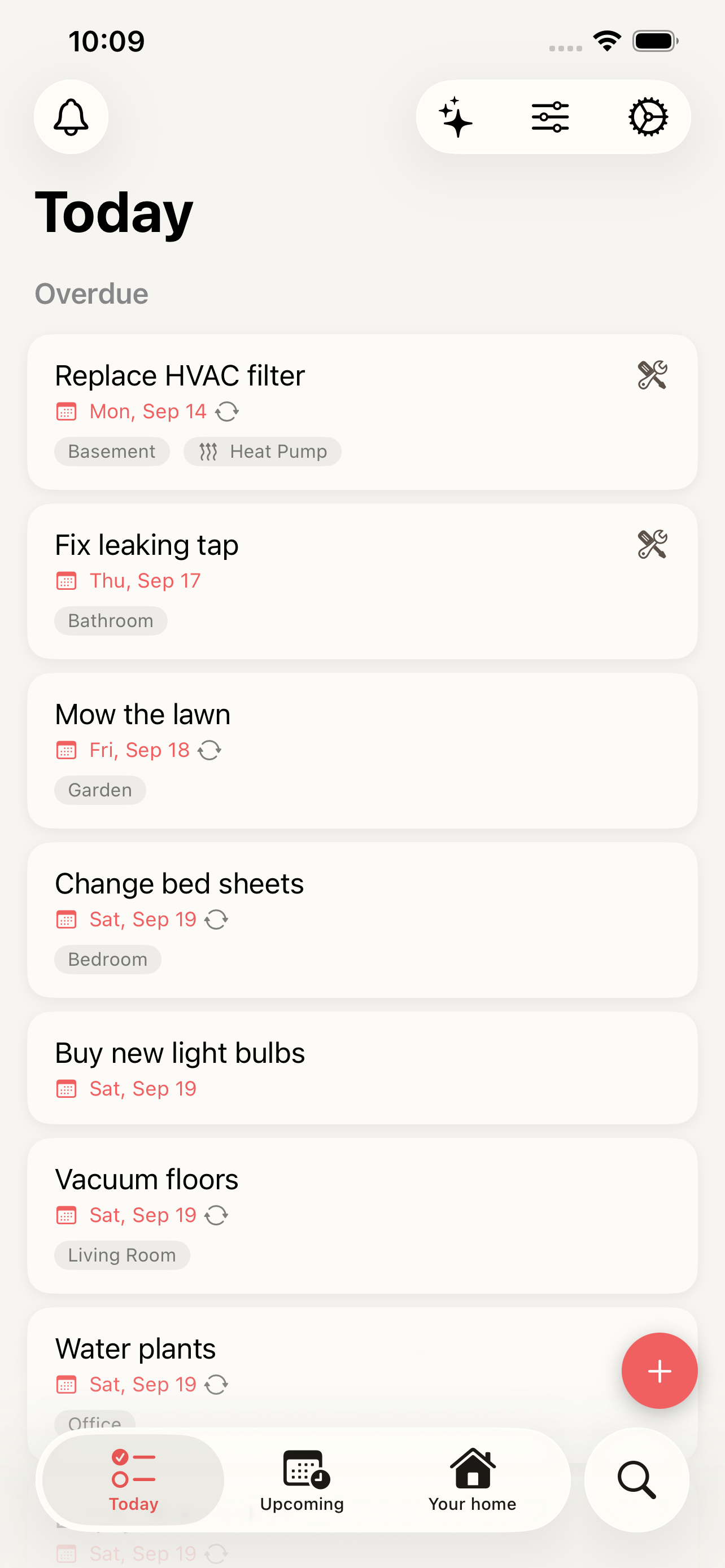
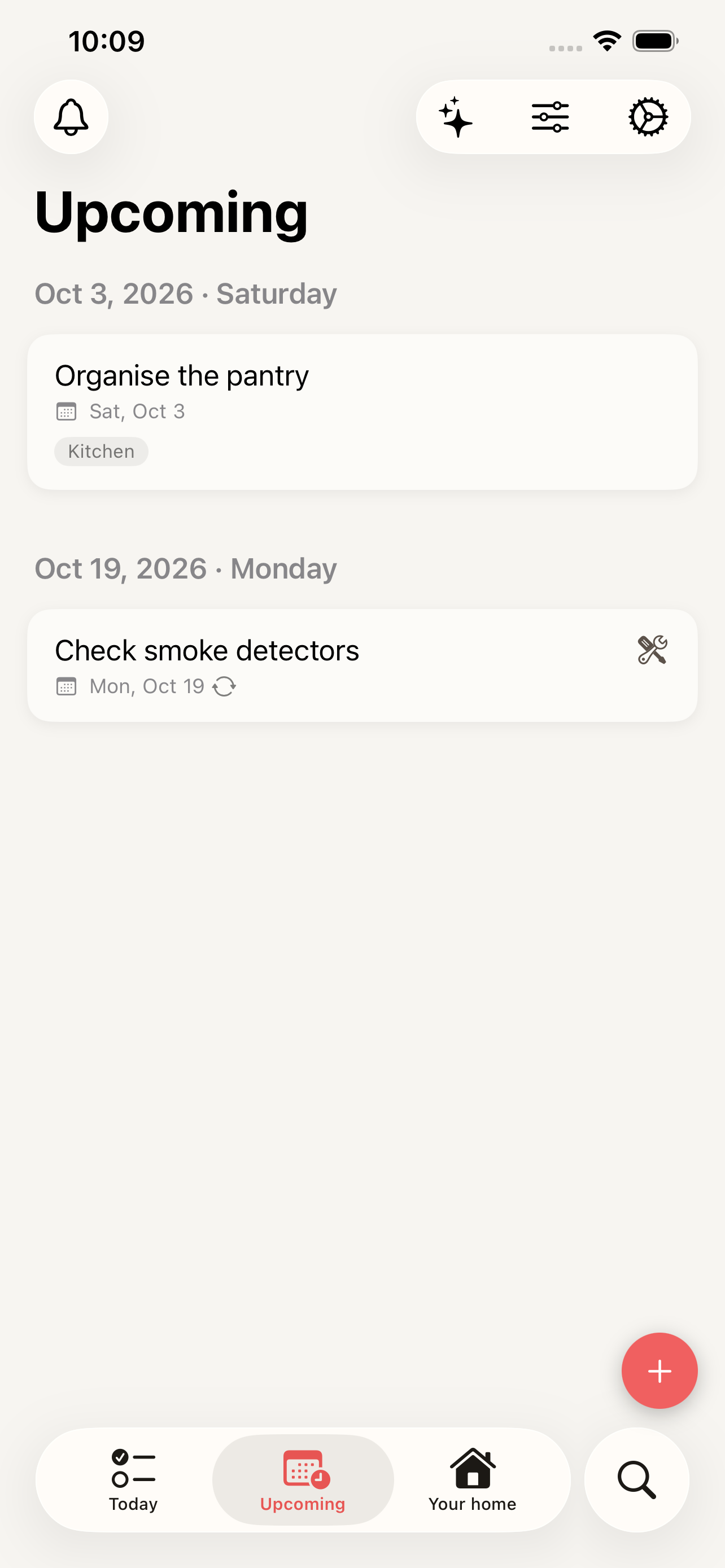
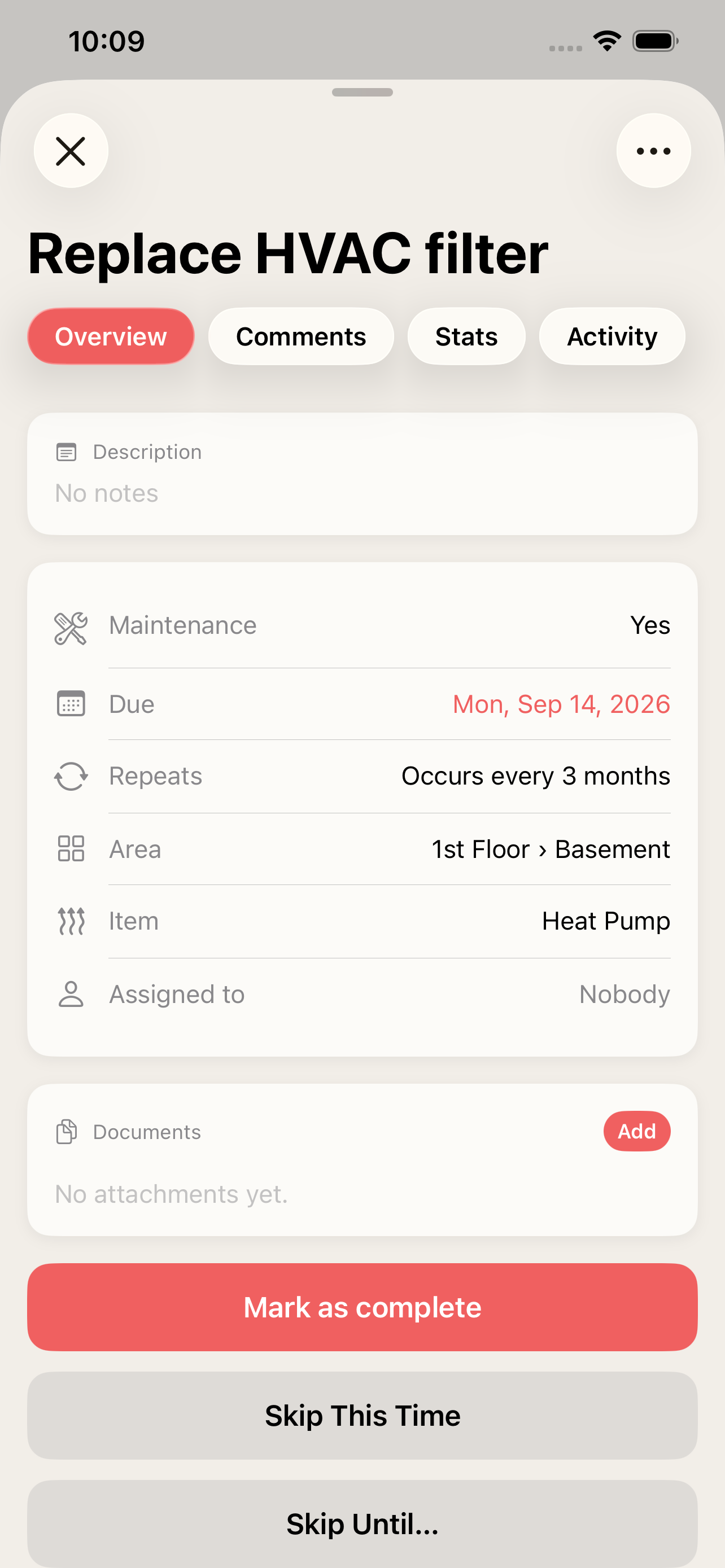
Recurring tasks with reminders, from filters to smoke detectors.
-
Warranties at hand
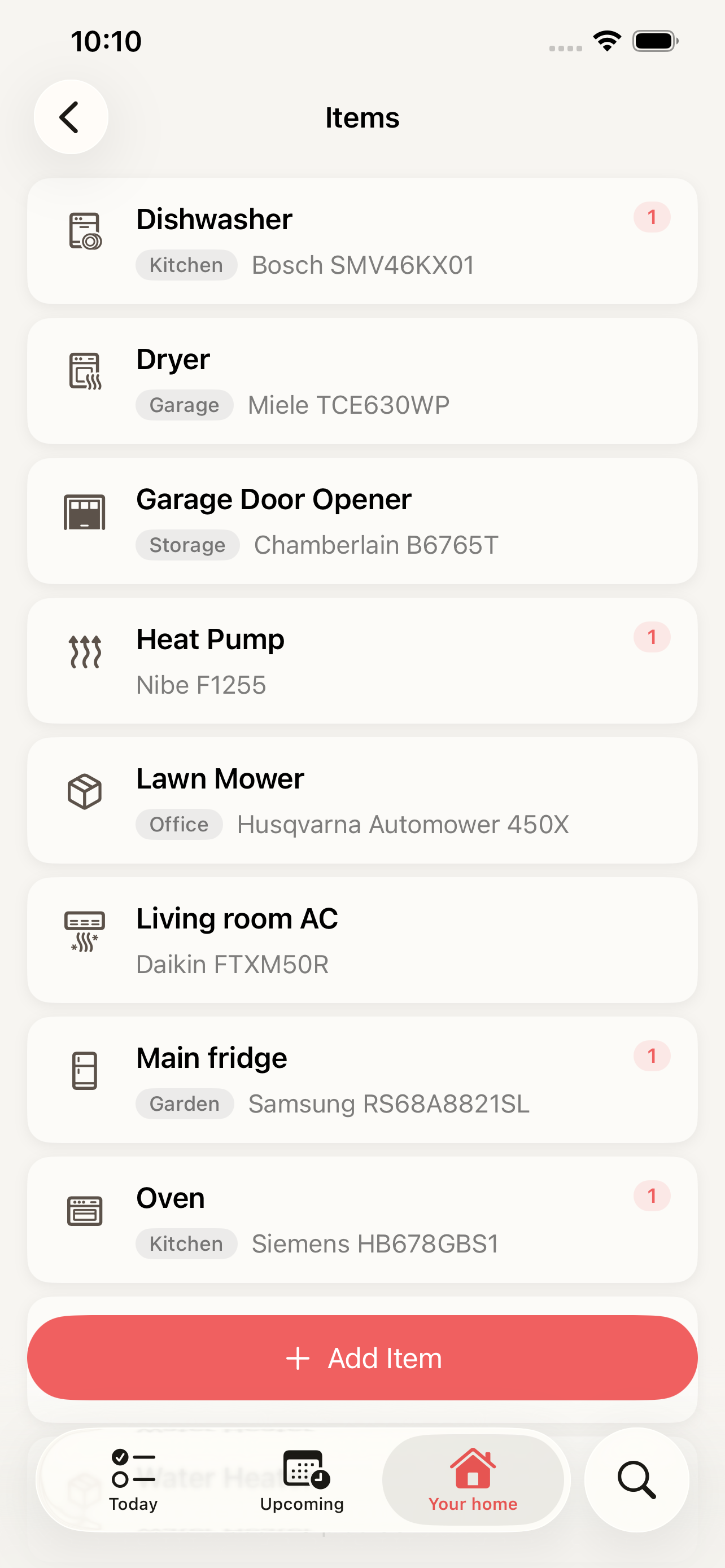
Every item with its model, serial number and warranty date.
-
One home, shared
One subscription covers everyone you live with.
-
An assistant that knows your home
Ask what needs doing and get suggested tasks.
- Works on
- iPhone with iOS 26.2 or later
- Free plan
- Unlimited tasks, 5 items and 5 areas
- Pro and Max
- From $4.99 a month, 14-day free trial
- Widget
- Home Screen, Lock Screen and Mac desktop
See it in action
A quick look at the app.
Everything your household needs, nothing it doesn't
One subscription unlocks the whole home — every member gets access.
Tasks & Maintenance
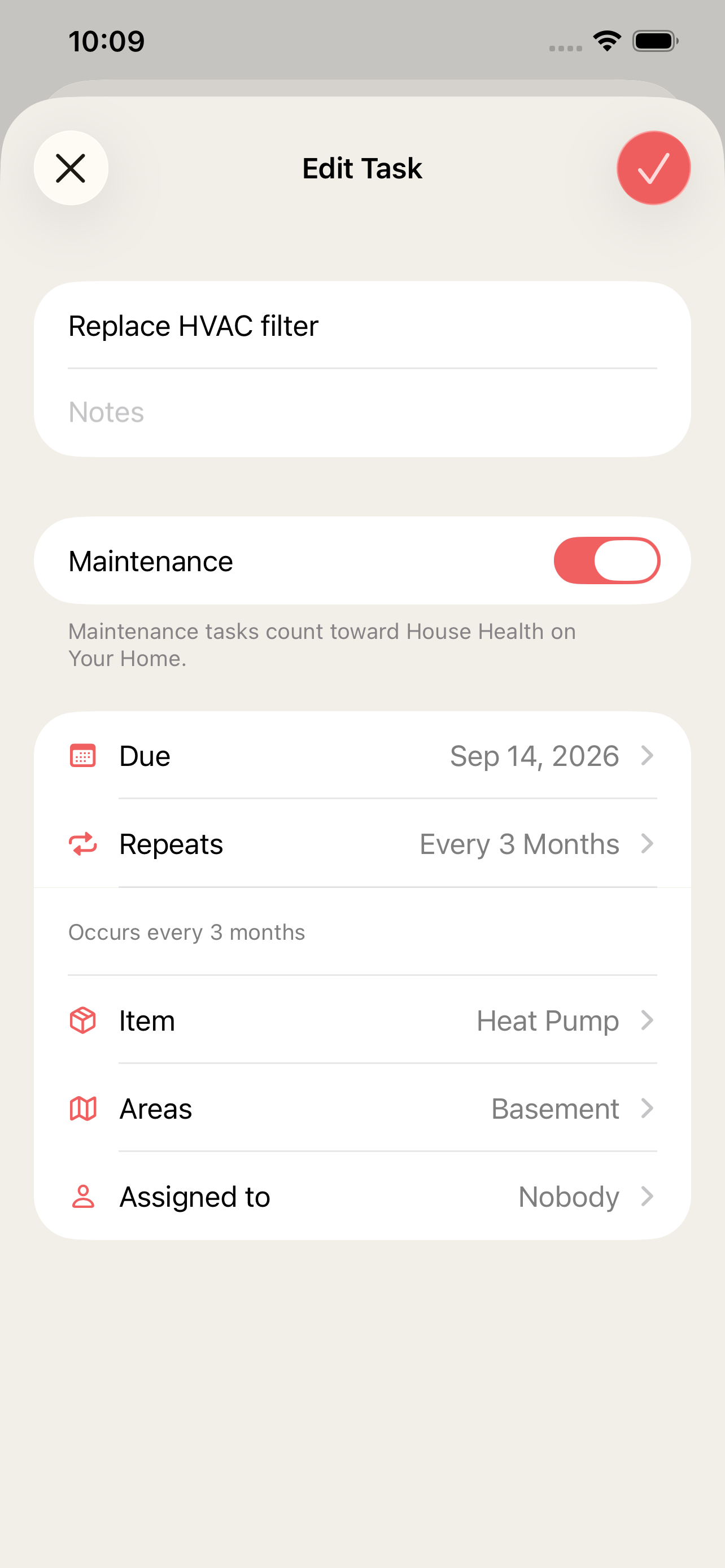
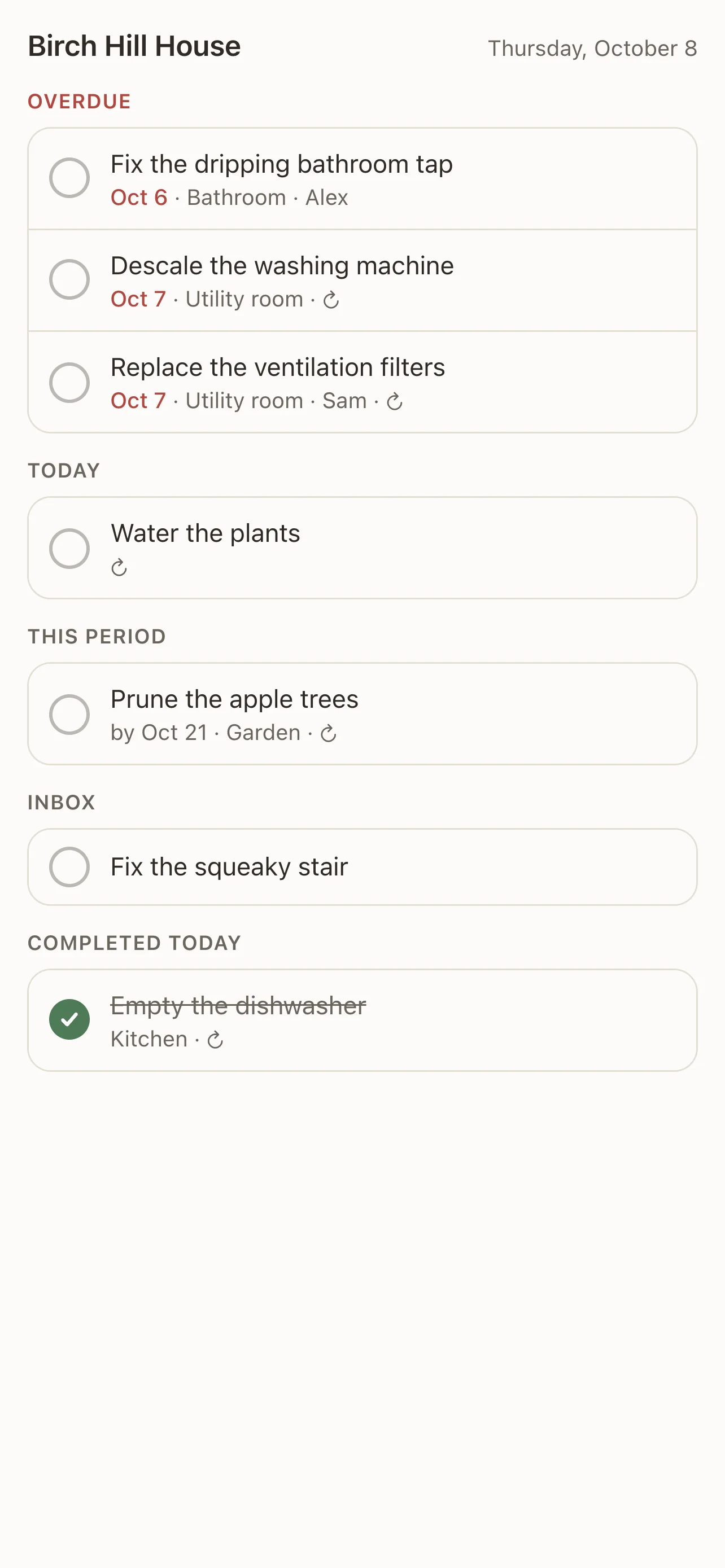
Recurring reminders for the things that keep a home running — filters, gutters, smoke detectors — never tracked in a notes app again.
Areas & Items
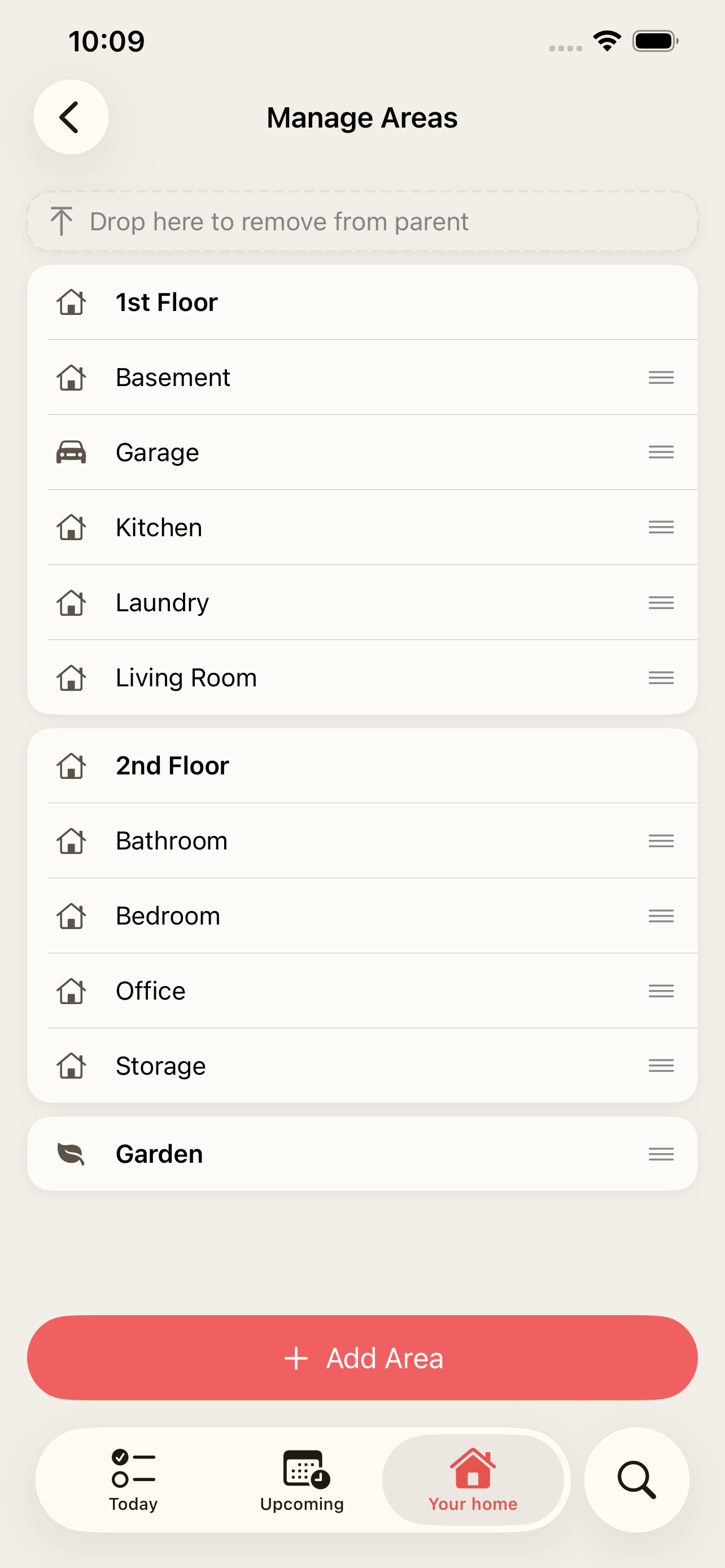
Organize your home by room, and keep every item's manual, warranty, and service history attached to it.
Renovations
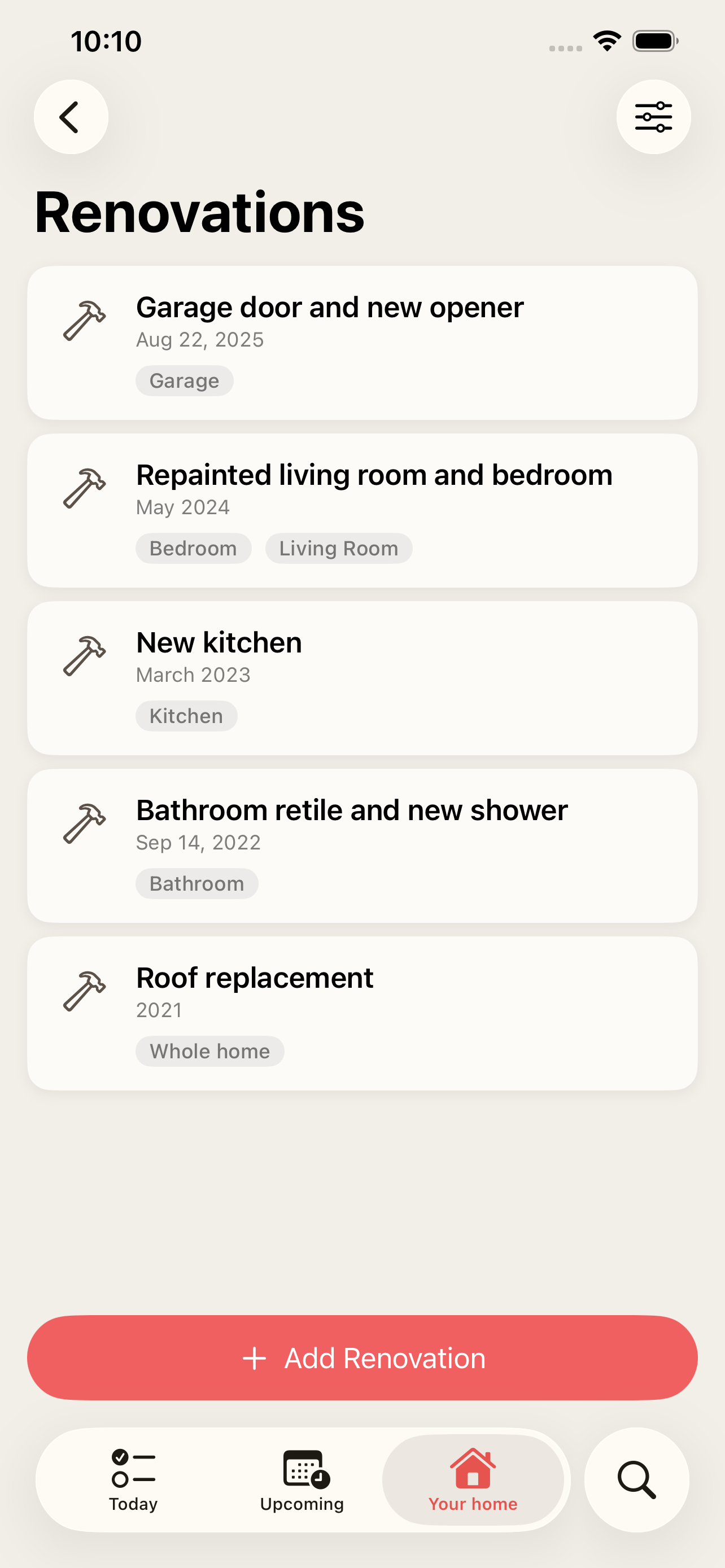
Log one-off projects — repainting a room, replacing the roof — so you always know what was done, when, and in which area. A year-by-year timeline of everything you've put into your home.
AI Assistant
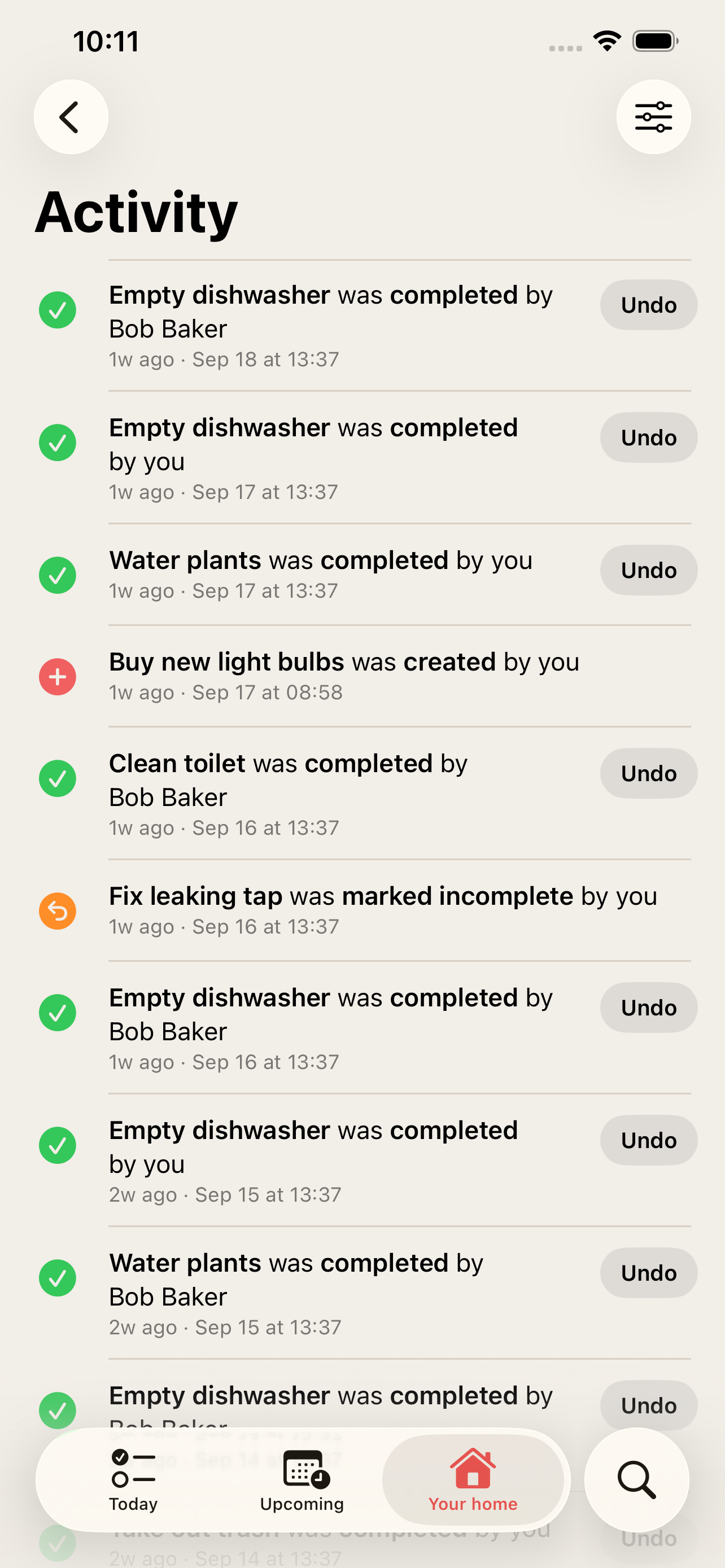
Ask what needs attention, get suggested tasks, and let it handle the busywork — always with your say before anything changes.
Shared Homes
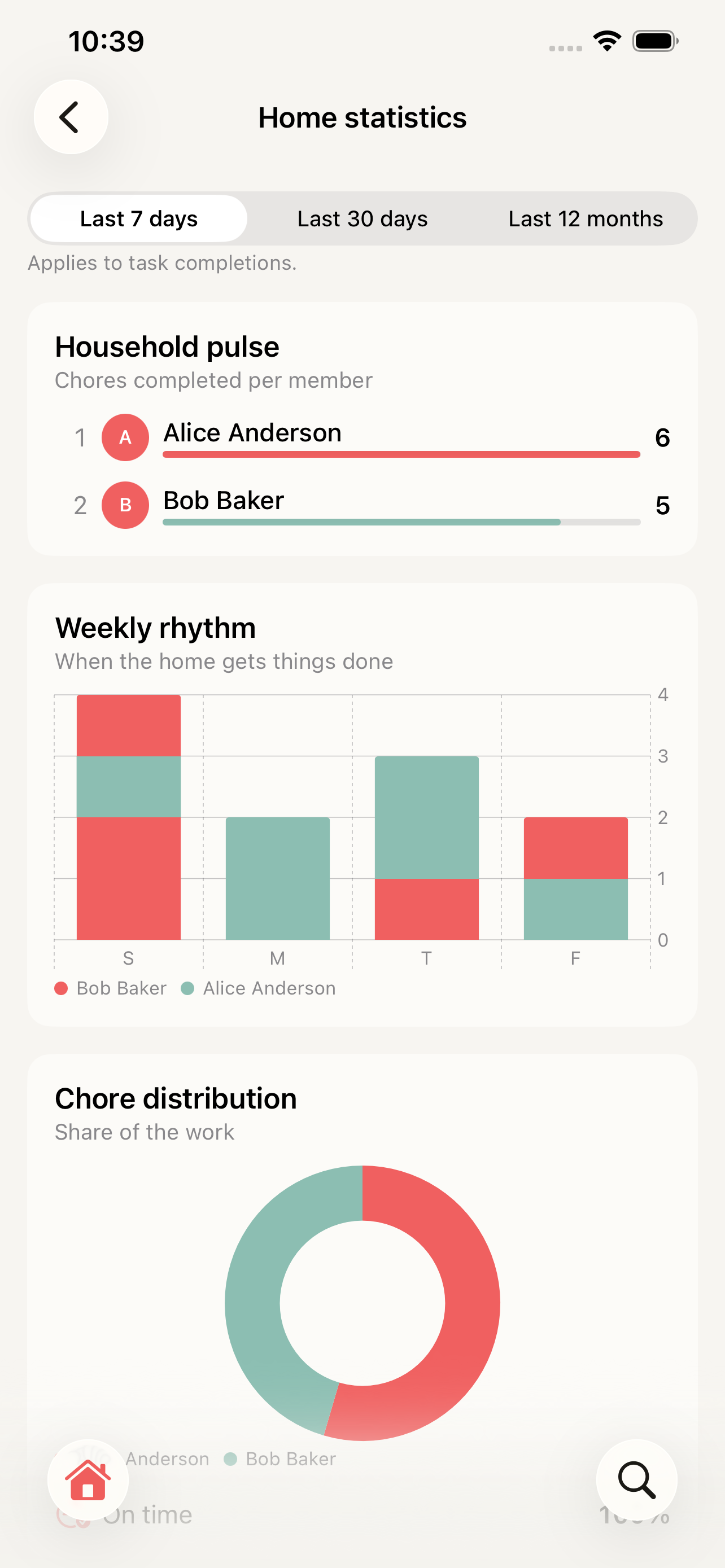
Invite the rest of your household. Everyone sees the same tasks, areas, and history — no separate accounts to manage.
Widgets
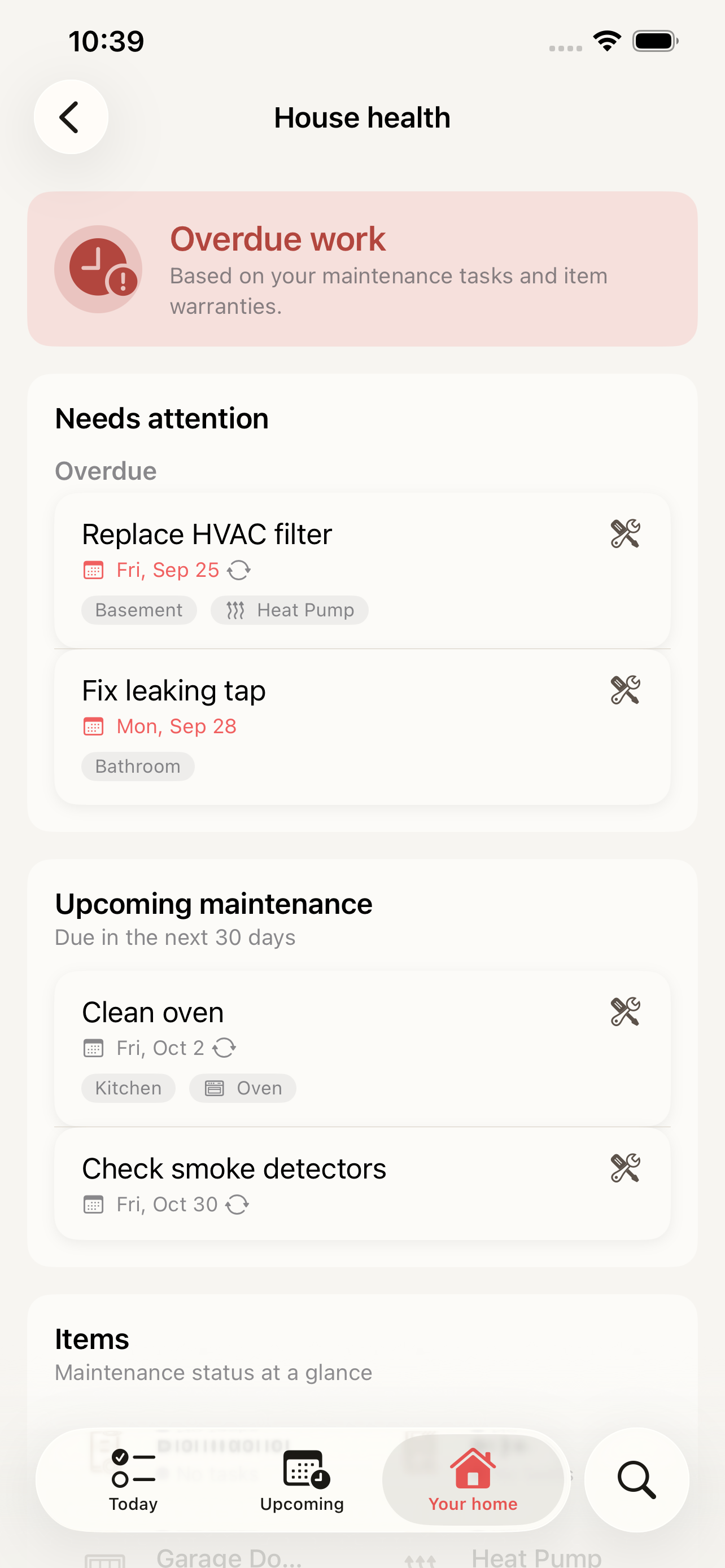
Today's tasks, the week ahead and House health on your Home Screen, Lock Screen and Mac desktop — tick tasks off without opening the app.
HomeTendr in ChatGPT
Add the HomeTendr app in ChatGPT and ask about your actual home. ChatGPT sees your tasks, items and history, shows them in cards you can tick off, and only does what the people who run the home allow.
Guides for your home
Checklists and practical advice to keep your home in shape.
Autumn home maintenance checklist
Get your home ready for winter: gutters, outdoor taps, heating, ventilation, smoke alarms and more — a practical autumn checklist for houses and apartments.
Spring home maintenance checklist
What to check after winter: roof, gutters, facade, outdoor taps, ventilation, deck and garden — a practical spring maintenance checklist for your home.
How often should you replace the filters in your home?
Ventilation, heat pump, cooker hood, dishwasher and more: typical cleaning and replacement intervals for the filters in your home, and how to stop forgetting them.
Plans for every home
Start free. Upgrade when your home outgrows it.
Free
Get started with the basics.
- Unlimited tasks
- 1 member
Pro
For sharing a home.
- Everything in Free
- Share with your household
- Up to 20 items and 20 areas
Max
For power users.
- Everything in Pro
- Unlimited items, areas and members
- Documents & photos
- API access
Questions about HomeTendr
What is HomeTendr?
HomeTendr is an iPhone app that keeps track of everything your home needs: recurring maintenance tasks with reminders, your items with warranties and manuals, areas, renovation history and an AI assistant — shared with everyone you live with.
Is HomeTendr free?
Yes. The Free plan has unlimited tasks, up to 5 items and 5 areas, and the AI assistant with a small monthly allowance. Pro and Max raise the limits, let you share the home and add more features — both start with a 14-day free trial. Compare the plans.
Can I share HomeTendr with my household?
Yes. On Pro you can invite up to 10 members, and on Max as many as you like. Everyone sees the same tasks, items and history, and one subscription covers the whole home — nobody else has to pay. More about shared homes.
Does HomeTendr have a widget?
Yes. The Daily widget shows today's and overdue tasks and lets you tick them off right in the widget; Upcoming shows the week ahead and House health shows overdue maintenance and expiring warranties. A New Task control adds a task from Control Center or the Action button. With macOS Sonoma or later you can put the widgets on your Mac desktop too. More about the widgets.
Which devices does HomeTendr work on?
HomeTendr is made for iPhone and needs iOS 26.2 or later. Everyone in the household uses it on their own iPhone, and the widget can also be shown on a Mac desktop.
Who makes HomeTendr?
HomeTendr is made by a small independent team in Sweden. Questions or ideas? Reach us through the support page.